本指南涵盖 AstroPaper 中可用的配置选项——从站点元数据和功能开关到字体、社交链接和布局设置。
Table of contents
Open Table of contents
配置 astro-paper.config.ts
所有站点级别的配置都位于项目根目录的 astro-paper.config.ts 文件中。使用 defineAstroPaperConfig() 可获得完整的 IntelliSense 支持:
import { defineAstroPaperConfig } from "./src/types/config";

export default defineAstroPaperConfig({
  site: {
    url: "https://your-site.com/", // replace with your deployed URL
    title: "AstroPaper",
    description: "A minimal, responsive and SEO-friendly Astro blog theme.",
    author: "Sat Naing",
    profile: "https://satnaing.dev",
    ogImage: "default-og.jpg",
    lang: "en",
    timezone: "Asia/Bangkok",
    dir: "ltr",
  },
  posts: {
    perPage: 4,
    perIndex: 4,
    scheduledPostMargin: 15 * 60 * 1000, // 15 minutes
  },
  features: {
    lightAndDarkMode: true,
    dynamicOgImage: true,
    showArchives: true,
    showBackButton: true,
    editPost: {
      enabled: true,
      url: "https://github.com/satnaing/astro-paper/edit/main/",
    },
    search: "pagefind",
  },
  socials: [
    { name: "github", url: "https://github.com/satnaing/astro-paper" },
    { name: "x", url: "https://x.com/username" },
    { name: "linkedin", url: "https://www.linkedin.com/in/username/" },
    { name: "mail", url: "mailto:yourmail@gmail.com" },
  ],
  shareLinks: [
    { name: "whatsapp", url: "https://wa.me/?text=" },
    { name: "facebook", url: "https://www.facebook.com/sharer.php?u=" },
    { name: "x", url: "https://x.com/intent/post?url=" },
    { name: "telegram", url: "https://t.me/share/url?url=" },
    { name: "mail", url: "mailto:?subject=See%20this%20post&body=" },
  ],
});astro-paper.config.ts
site 选项
| Option | Description |
|---|---|
url | Your deployed website URL. Used for canonical URLs, OG image URLs, RSS feed, and sitemap. In production this must be set correctly. |
title | Your site name. |
description | Your site description. Useful for SEO and social media sharing. |
author | Your name. Used as the default post author. |
profile | Your personal/portfolio website URL, used for structured data. Set to undefined if you don’t have one. |
ogImage | Default OG image filename in /public (e.g. "default-og.jpg"). Used when no post-specific OG image is set and dynamicOgImage is disabled. |
lang | HTML ISO language code for <html lang="...">. Defaults to "en". |
timezone | IANA timezone for post dates (e.g. "Asia/Bangkok"). Ensures consistent timestamps across localhost and your deployed site. |
dir | Text direction for <html dir="...">. Supports "ltr" | "rtl" | "auto". |
googleVerification | Google Search Console verification meta tag value. Optional. Takes precedence over the PUBLIC_GOOGLE_SITE_VERIFICATION environment variable. |
posts 选项
| Option | Description |
|---|---|
perPage | Number of posts shown per page on paginated listing pages. Defaults to 4. |
perIndex | Number of posts shown in the Recent section on the home page. Defaults to 4. |
scheduledPostMargin | Posts with a future pubDatetime within this window (in ms) are treated as published. Defaults to 15 minutes (15 * 60 * 1000). |
features 选项
| Option | Description |
|---|---|
lightAndDarkMode | Enable or disable the light/dark mode toggle. Defaults to true. |
dynamicOgImage | Generate a dynamic OG image per post when no ogImage is specified in frontmatter. Defaults to true. See the trade-off for details. |
showArchives | Show the /archives page and its header link. Defaults to true. |
showBackButton | Show the “Go back” button on post pages. Defaults to true. |
editPost | An “Edit page” link shown under post titles. Set enabled: true and provide the base url for your repository’s edit URL. Per-post override via hideEditPost frontmatter. |
search | Search provider. "pagefind" is the default. Set to false to disable search entirely. |
更新布局宽度
整个博客的默认 max-width 是 768px(max-w-3xl)。如果你想修改它,请更新 src/styles/global.css 中的 max-w-app 工具类:
@utility max-w-app {
  @apply max-w-3xl;
  @apply max-w-4xl xl:max-w-5xl;
}src/styles/global.css
你可以在 Tailwind CSS 文档 中探索更多 max-width 值。
配置 Logo 或标题
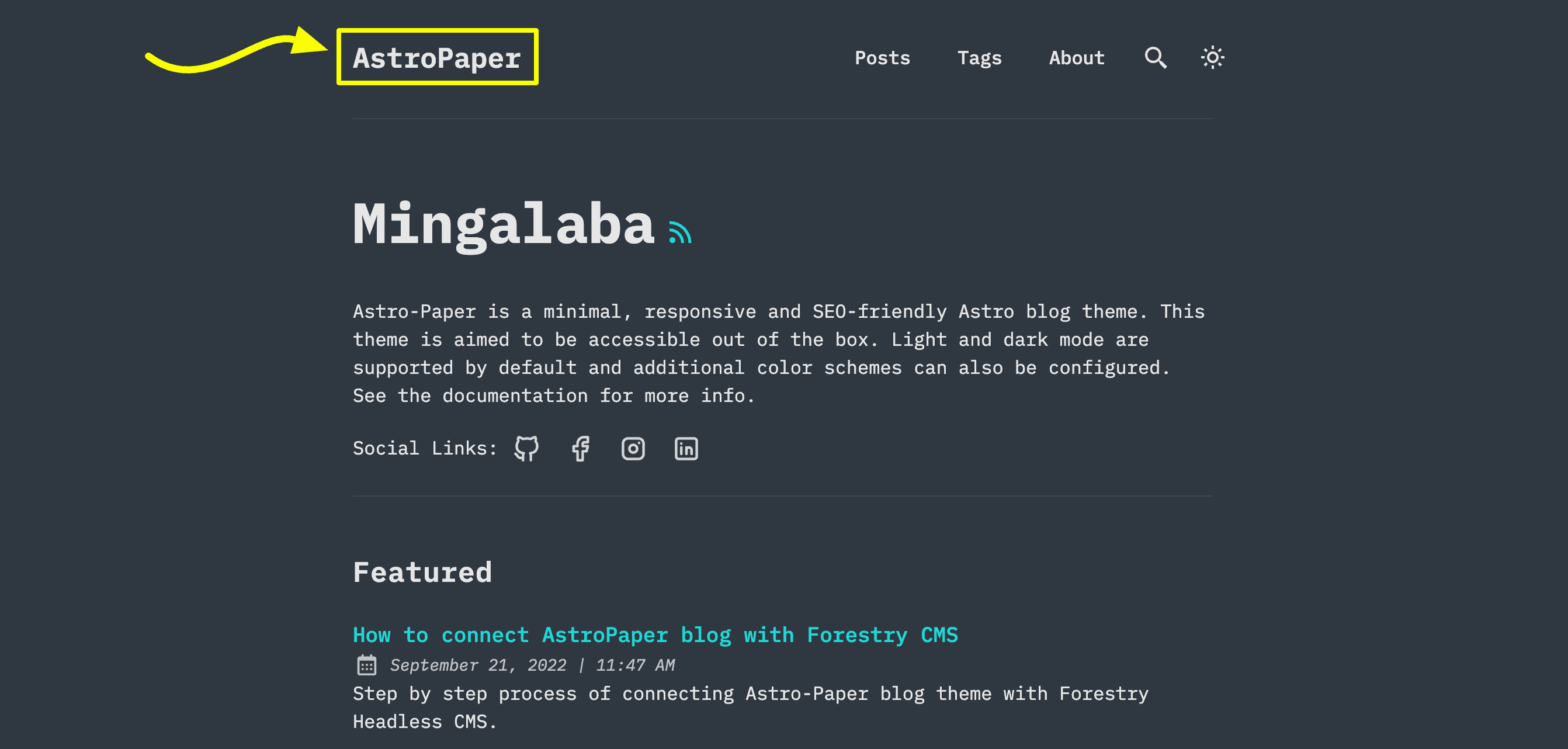
你有 3 个选项可以选择:
选项 1:站点标题文本
这是最简单的选项。在 astro-paper.config.ts 中更新 site.title。
选项 2:Astro 的 SVG 组件
如果你想使用 SVG Logo,可以选择这个选项。
-
首先在
src/assets/目录中添加一个 SVG 文件。(例如src/assets/dummy-logo.svg) -
然后在
Header.astro中导入该 SVG--- // ... import DummyLogo from "@/assets/dummy-logo.svg"; ---src/components/Header.astro -
最后,将
{config.site.title}替换为导入的 Logo。<a href="/" class="absolute py-1 text-left text-2xl leading-7 font-semibold whitespace-nowrap sm:static" > <DummyLogo class="scale-75 dark:invert" /> <!-- {config.site.title} --> </a>
这种方式最大的优点是可以根据需要自定义 SVG 样式。在上面的示例中,你可以看到如何在深色模式下反转 SVG Logo 的颜色。
选项 3:Astro 的 Image 组件
如果你的 Logo 是图片而不是 SVG,可以使用 Astro 的 Image 组件。
-
在
src/assets/目录中添加你的 Logo。(例如src/assets/dummy-logo.png) -
在
Header.astro中导入Image和你的 Logo--- // ... import { Image } from "astro:assets"; import dummyLogo from "@/assets/dummy-logo.png"; ---src/components/Header.astro -
然后,将
{config.site.title}替换为导入的 Logo。<a href="/" class="absolute py-1 text-left text-2xl leading-7 font-semibold whitespace-nowrap sm:static" > <image src="{dummyLogo}" alt="My Blog" class="dark:invert" /> <!-- {config.site.title} --> </a>
使用这种方式,你仍然可以通过 CSS 类调整图片的外观。不过,这可能并不总是符合你的需求。如果你需要根据亮色或深色模式显示不同的 Logo 图片,可以参考 Header.astro 组件中亮/暗图标是如何处理的。
配置社交链接
社交链接在 astro-paper.config.ts 的 socials 数组中配置。每个条目需要一个 name(与 src/assets/icons/socials/ 中的 SVG 文件名匹配)和一个 url:
export default defineAstroPaperConfig({
  // ...
  socials: [
    { name: "github", url: "https://github.com/satnaing/astro-paper" },
    { name: "x", url: "https://x.com/username" },
    { name: "linkedin", url: "https://www.linkedin.com/in/username/" },
    { name: "mail", url: "mailto:yourmail@gmail.com" },
  ],
});astro-paper.config.ts
要添加默认不包含的社交平台,请将其 SVG 图标添加到 src/assets/icons/socials/,并在数组中添加一个条目。name 必须与 SVG 文件名匹配(不含 .svg 扩展名)。
配置分享链接
分享链接在 shareLinks 数组中配置。每个条目需要一个 name(与 src/assets/icons/socials/ 中的 SVG 匹配)和一个基础 url,文章 URL 会被追加到该地址后面:
export default defineAstroPaperConfig({
  // ...
  shareLinks: [
    { name: "whatsapp", url: "https://wa.me/?text=" },
    { name: "facebook", url: "https://www.facebook.com/sharer.php?u=" },
    { name: "x", url: "https://x.com/intent/post?url=" },
    { name: "telegram", url: "https://t.me/share/url?url=" },
    { name: "mail", url: "mailto:?subject=See%20this%20post&body=" },
  ],
});astro-paper.config.ts
配置字体
AstroPaper 使用 Astro 的 fonts API,默认字体为 Google Sans Code。这为所有平台提供一致的排版,并包含预加载和缓存等自动字体优化功能。
使用默认字体
字体已在 astro.config.ts 中自动配置,并在 Layout.astro 中加载。使用默认的 Google Sans Code 字体无需额外配置。
自定义字体
要使用其他字体,需要更新三个地方:
- 更新
astro.config.ts中的字体配置:
import { defineConfig, fontProviders } from "astro/config";

export default defineConfig({
  // ...
  fonts: [
    {
      name: "Your Font Name",
      cssVariable: "--font-your-font",
      provider: fontProviders.google(),
      fallbacks: ["monospace"],
      weights: [300, 400, 500, 600, 700],
      styles: ["normal", "italic"],
    },
  ],
});astro.config.ts- 更新
Layout.astro中的 Font 组件:
---
import { Font } from "astro:assets";
// ...
---

<head>
  <!-- ... -->
  <Font
    cssVariable="--font-your-font"
    preload={[{ subset: "latin", weight: 400, style: "normal" }]}
  />
  <!-- ... -->
</head>src/layouts/Layout.astro- 更新
src/styles/theme.css中的 CSS 变量映射:
@theme inline {
  --font-app: var(--font-your-font);
  /* ... */
}src/styles/theme.css
--font-app 变量通过 font-app Tailwind 工具类在整个主题中使用,因此更新这个单一变量即可将自定义字体应用到所有地方。
请确保字体名称与 Google Fonts 上显示的完全一致。如需使用其他字体提供商或本地字体,请参阅 Astro Fonts 文档。
相关内容
- 自定义 AstroPaper 主题配色方案 —— 通过
src/styles/theme.css更改或添加配色方案。 - 添加新文章 —— frontmatter 参考和文件约定。
评论